Display your data; control your data logger


Overview
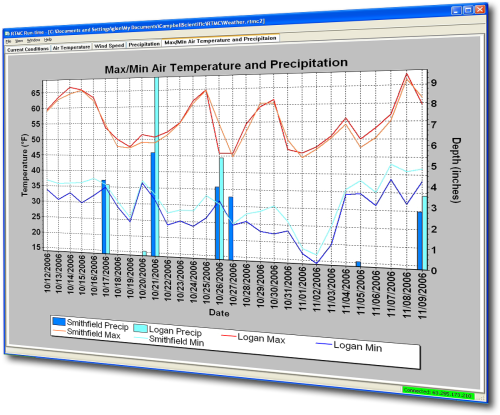
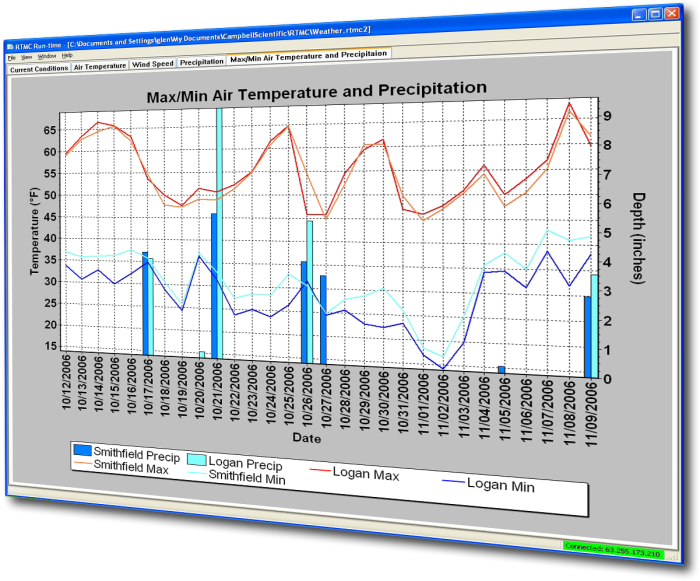
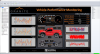
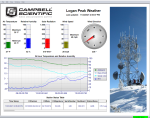
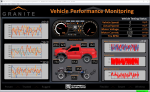
RTMC Pro is used to create and run graphical screens that provide real-time monitor and control capabilities. You can easily design displays using its large library of components including alarms, switches, status bars, charts, and gauges. Simply select a component, place it on the workspace, and specify the data value to be displayed. Each component has properties that can be set by the user giving maximum design control.
This separately purchased product is an enhanced version of the RTMC client that is included with LoggerNet, LoggerNetAdmin, and RTDAQ.
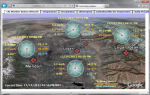
View RTMC Pro demo site for building four of the Campbell Scientific, Logan, Utah campus.
Read MoreBenefits and Features
- Large library of components: alarms, switches, status bars, charts, gages, and more
- Interactive components (switches, drop lists, digital set points, dials) let you toggle flags or set data logger values directly from your RTMC display
- Securely monitor and control your data from virtually anywhere by publishing your RTMC projects to your intranet or the Internet using the included Web Publisher and CSI Web Server
- View data from multiple LoggerNet servers, Campbell Scientific data files, LNDB databases, HTTP data loggers, and virtual data sources all in one RTMC project
- Send email messages or execute programs when alarms are triggered
- Create reports that allow you to easily step through historical data and export an RTMC screen either on a schedule or manually
- Use the extensive math and logic expression library to convert and/or combine your data for display
Images
Detailed Description
RTMC Pro, an enhanced version of RTMC, includes a development and a run-time program. Specifically, RTMC Pro provides the following:
- The ability to use LNDB databases, Campbell Scientific data files, HTTP data loggers, virtual data sources, and multiple LoggerNet Servers as data sources
- The CSI Web Server for viewing your data from a web browser
- The ability to generate reports
- More graphical components. For example, more alarms, switches, graphs, gauges, and layout components are available
- Components to run/open a file, run a Cora-Script command (LoggerNet command), or view a web page.
- Images of the project that can be saved and transferred to a web server automatically
- The ability to send email messages or execute programs when alarms occur. Alarm activity can be logged to a file
- More settings for components existing in both RTMC and RTMC Pro, which enables more design control
RTMC Run-Time and the CSI Web Server can run projects created with RTMC Pro's development program. For best compatibility between RTMC or RTMC Pro projects and RTMC Run-Time, the version numbers of the applications should match.
- Projects created with a newer version of RTMC or RTMC Pro will not run in an older version of RTMC Run-Time. As an example, a project created with RTMC Pro 5.0 will not run in RTMC Run-Time 4.0.
- Projects created with an older version of RTMC or RTMC Pro will open and run, but component size or placement may not match the original project, requiring the project to be edited.
An upgrade for RTMC Pro must be purchased separately if you have these earlier versions of RTMC Pro.
Compatibility
Note: The following shows notable compatibility information. It is not a comprehensive list of all compatible or incompatible products.
Dataloggers
| Product | Compatible | Note |
|---|---|---|
| 21X (retired) | The 21X requires three PROMs; two PROM 21X Microloggers are not compatible. | |
| CR10 (retired) | ||
| CR1000 (retired) | ||
| CR1000X (retired) | ||
| CR10X (retired) | RTMC Pro is compatible with the mixed array, PakBus, and TD operating systems. | |
| CR200X (retired) | ||
| CR206X (retired) | ||
| CR211X (retired) | ||
| CR216X (retired) | ||
| CR23X (retired) | RTMC Pro is compatible with the mixed array, PakBus, and TD operating systems. | |
| CR295X (retired) | ||
| CR300 (retired) | ||
| CR3000 (retired) | ||
| CR310 | ||
| CR350 | ||
| CR500 (retired) | ||
| CR5000 (retired) | ||
| CR510 (retired) | RTMC Pro is compatible with the mixed array, PakBus, and TD operating systems. | |
| CR6 | ||
| CR800 (retired) | ||
| CR850 (retired) | ||
| CR9000 (retired) | ||
| CR9000X (retired) |
Additional Compatibility Information
Software
RTMC Run-Time and CSI Web Server can run projects created with RTMC Pro's development program. For best compatibility between RTMC or RTMC Pro projects and RTMC Run-Time, the version numbers of the applications should match.
- Projects created with a newer version of RTMC or RTMC Pro will not run in an older version of RTMC Run-Time. As an example, a project created with RTMC Pro 5.0 will not run in RTMC Run-Time 4.0.
- Projects created with an older version of RTMC or RTMC Pro will open and run, but component size or placement may not match the original project, requiring the project to be edited.
An upgrade for RTMC Pro must be purchased separately if you have these earlier versions.
Computer
RTMC Pro runs on Windows 10 and 11. RTMC Pro runs on both 32-bit and 64-bit versions of these operating systems.
Specifications
| Operating System | Windows 11 and 10 (Both 32- and 64-bit operating systems are supported.) |
| Purchased Separately | Yes, as an enhancement to RTMC |
| Software Level | Intermediate to advanced |
| Scheduled Data Collection Supported | Yes |
| Real-Time Updates | Yes |
| Alarms | Real-time, visual, audible, multilevel alarms possible, alarm log, launch programs, email notifications |
Military Certificate of Networthiness (CoN) |
|
| Certifications |
|
Documents



Downloads
RTMC Pro Patch v.5.0.2 (102 MB) 09-04-2026
This patch upgrades RTMC Pro 5.0 to 5.0.2.
Note: This application requires the Microsoft .Net 4.0 Framework. If it is not already installed on your computer, it can be obtained from the Microsoft Download Center.
RTMC Pro Trial v.5.0.2 (85.7 MB) 09-04-2026
A fully functional 30 day trial version of RTMC Pro (Real Time Monitoring & Control) software for creating custom data displays. RTMC Pro is an enhanced version of RTMC that contains more graphical components, more alarms including email alarm events, run/open, hotspot and snapshot capabilities. The CSI Web Server is also included.
Note: This application requires the Microsoft .Net 4.0 Framework. If it is not already installed on your computer, it can be obtained from the Microsoft Download Center.
RTMC Pro Patch v.4.3.3a (87.7 MB) 22-05-2024
This patch upgrades RTMC Pro 4.0 and newer to 4.3.3a.
Note: This application requires the Microsoft .Net 4.0 Framework. If it is not already installed on your computer, it can be obtained from the Microsoft Download Center.
Frequently Asked Questions
Number of FAQs related to RTMC Pro: 46
Expand AllCollapse All
-
This information cannot be changed.
-
RTMC Pro can use the DAT file instead of the cache as the source of data (historical graphing).
-
There are options to include a custom message that can be sent instead of, or in addition to, the standard text.
-
Shape rotation does not currently work in RTMC Pro. There is a work around, however. Save the shape as an image from the shape property page using the disc icon at the bottom right of the screen. Then load the saved image into an image component that has rotation capabilities.
-
RTMC Pro has an Invert Axis property for all axes on a chart. By inverting the bottom axis, the most recent data, along with its time stamp, is displayed on the left with the oldest on the right.
-
Ensure that the versions of RTMC products match (same version for Run-Time and Developer).
-
The table component of RTMC Pro has the option to display the newest data at the top of the table. It can then be set up to save images of that table component or the entire screen (for use in an HTML page), or the RTMC Pro project itself can be run in the RTMC Web Server.
Using RTMC Pro Dev, select the New Data At Top table option property.
-
Yes. Use the StartRelativeToNewest function as a prefix to the averaging expression to specify how far back to go in the data when the project is first started.
-
In RTMC Pro, there is the option of using data files for data sources. Campbell Scientific recommends using data file sources with all time-series components, such as charts and tables, because they can be edited if needed. Use LoggerNet server sources for single-point-in-time components, such as dials and status bars.
Case Studies
Lightning strikes are a serious concern for school officials who are responsible for protecting the......read more

Hot Springs, Arkansas, is a history-rich city located adjacent to Hot Springs National Park. The......read more

The Channel Tunnel (or Chunnel) connects the United Kingdom with France. It is actually a......read more

To gain access to more reliable weather information, the Port of Tyne added two new weather......read more